UX Research & Product Design
Designing a Platform for Court-Appointed Special Advocates
Designed an online platform for Court-Appointed Special Advocates (CASA), aimed at streamlining case management and reducing friction in high-stakes advocacy work. Through research-driven design decisions, this project supports stronger organization for documents, and better outcomes for children navigating the legal system.

Challenge
Court-Appointed Special Advocates (CASA) operate in high-stakes environments with limited margin for error. Yet the systems supporting them often:
- Withhold critical case information
- Create unnecessary administrative burden
- Obscure next steps and responsibilities
- Fail to show how advocacy work actually happens
This means that when the systems are unclear, time is lost, and when time is lost, children are affected.
How might we design a platform that supports advocates working on behalf of children, without adding unnecessary steps or additional cognitive load?
Results
- 75%of participants experienced confusion during first-time use
- 80%of usability issues were related to clarity & hierarchy
- 90%of design changes were driven by research findings
The created platform communicates how CASA advocates move through a case from start to finish. Core workflows were simplified to reduce confusion and unnecessary steps, and design decisions reflect how advocates actually work in high-stakes, real-world situations.
The final structure prioritizes clarity and trust, which helps advocates focus on children rather than the system they work for. In conclusion, the work creates a stronger foundation for advocates to do their jobs confidently and effectively, which directly supports better outcomes for the children they represent.
Process
This project followed an iterative, research-driven process focused on understanding advocate workflows, identifying pain points, and designing solutions that reduce cognitive load in high-stakes situations.
First, we had to understand the problem
- Mapped the existing report-writing flow to identify unnecessary steps and points of friction
- Reviewed current screens to understand limitations around flexibility, discoverability, and document referencing
- Grounded the work in what CASA volunteers actually experience, operating under time and emotional pressure
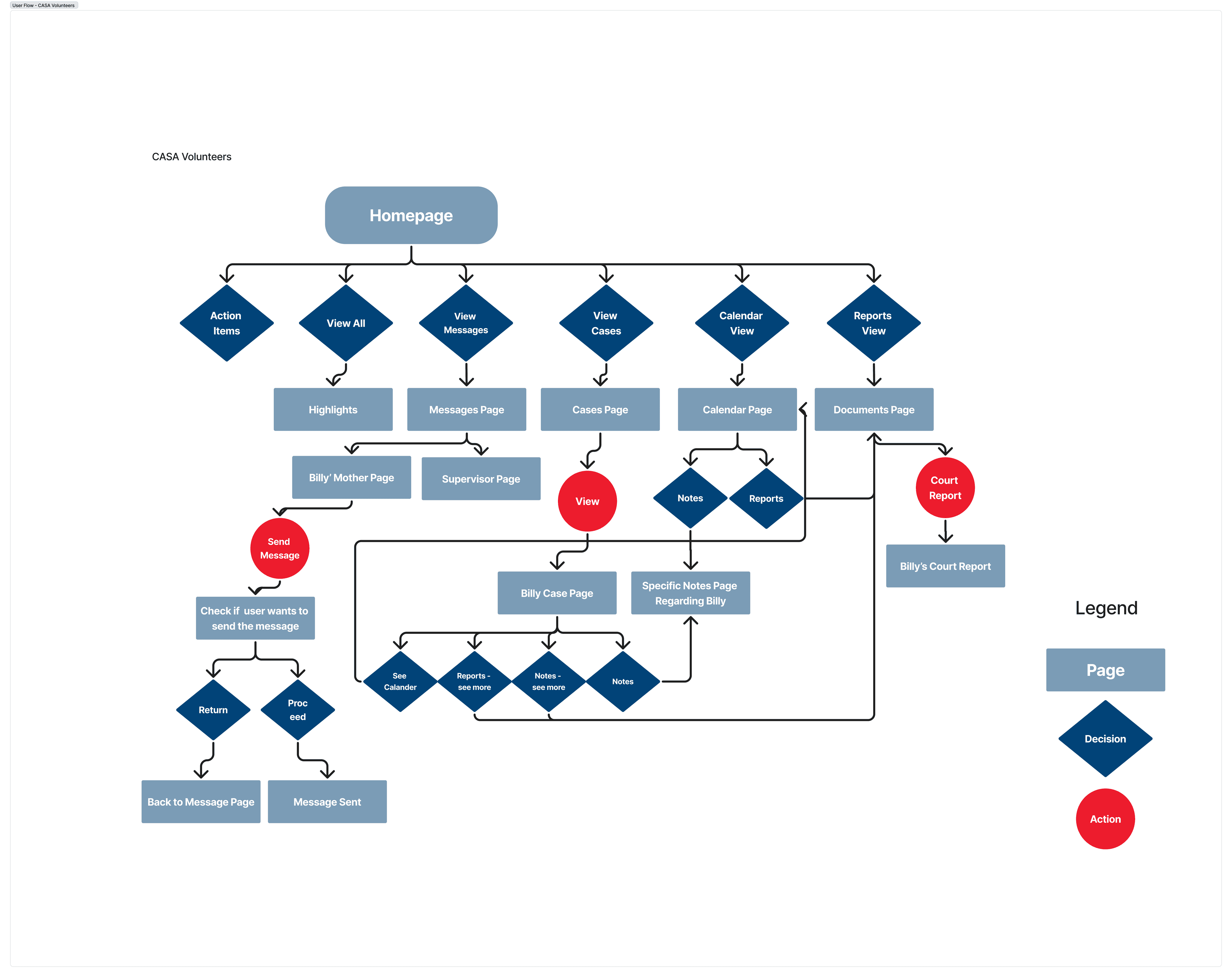
Mapping the existing CASA volunteer user flow
Then we had to learn from the users
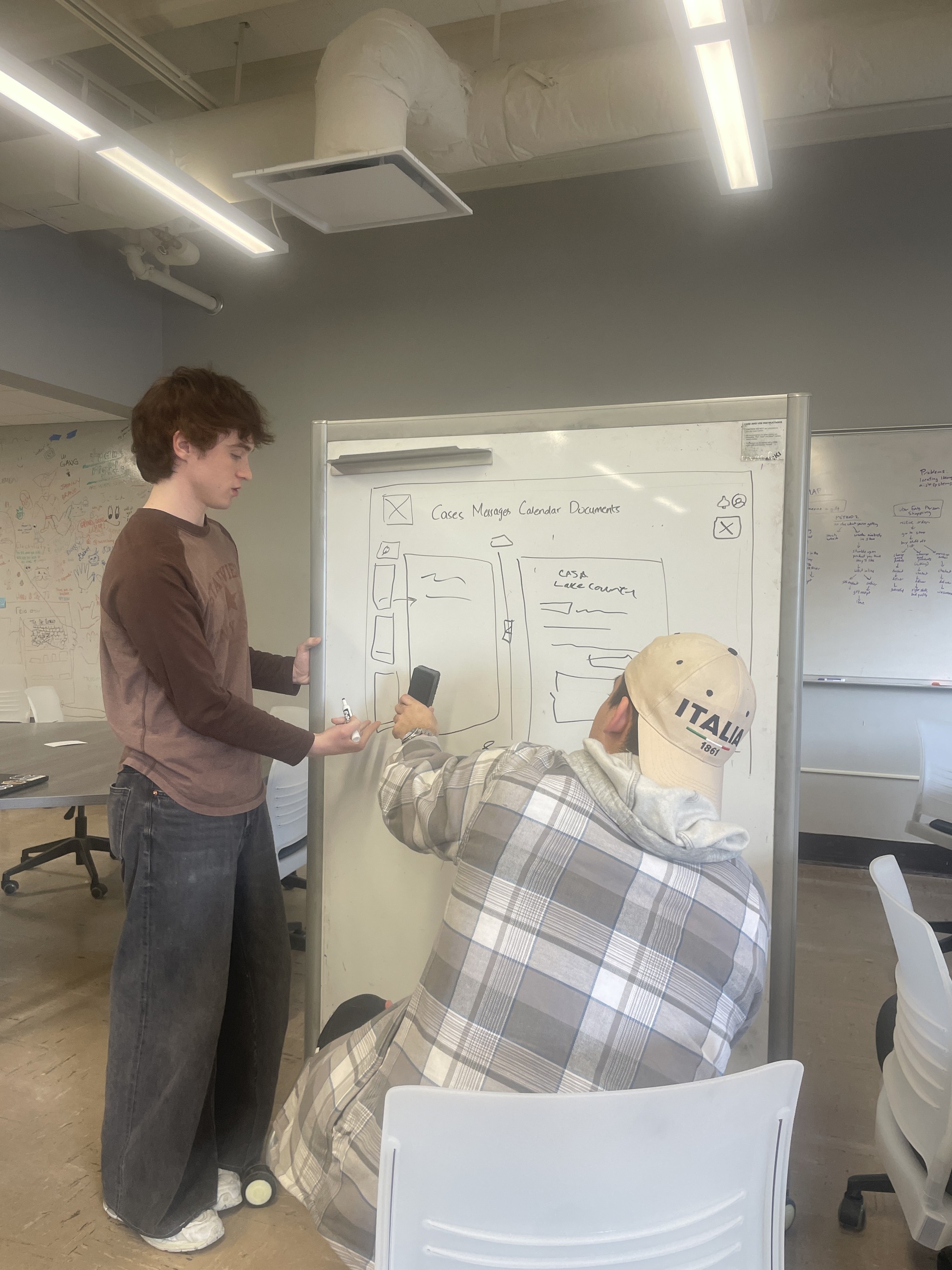
Sketching out an early screen with the team
- Conducted usability testing with CASA volunteers focused on reaching and using the report-writing screen
- Observed where users slowed down, became confused, or annoyed
- Organized findings into clear problem areas related to autofill behavior, layout constraints, and feature visibility
Next, we explored & iterated
- Generated multiple design concepts through individual sketching and collaborative whiteboarding
- Explored solutions such as side-by-side document access, adjustable layouts, and alternative autofill behaviors
- Iterated on concepts based on sponsor feedback and feasibility considerations
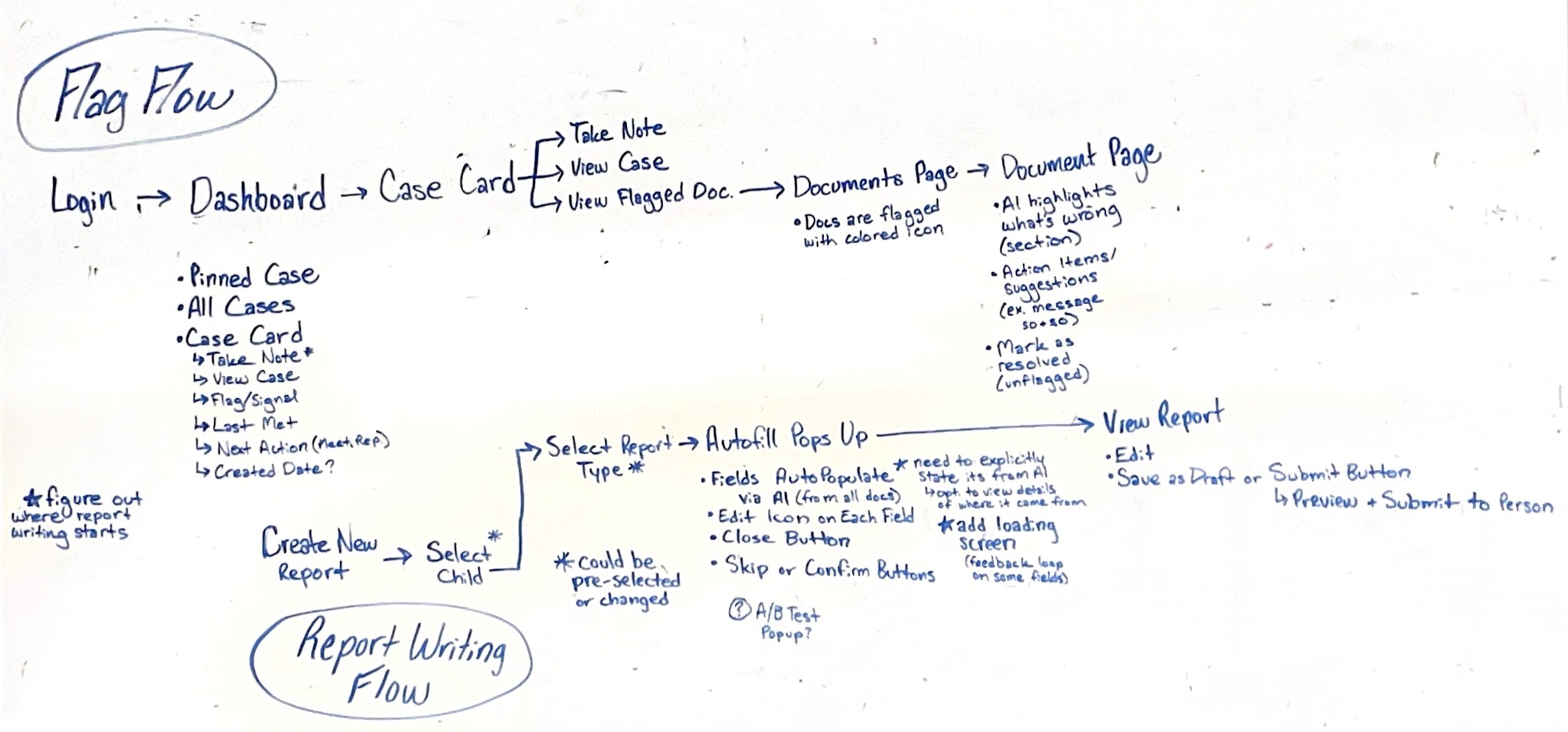
Whiteboarding the flag flow and report-writing flow
Last, we refined the system
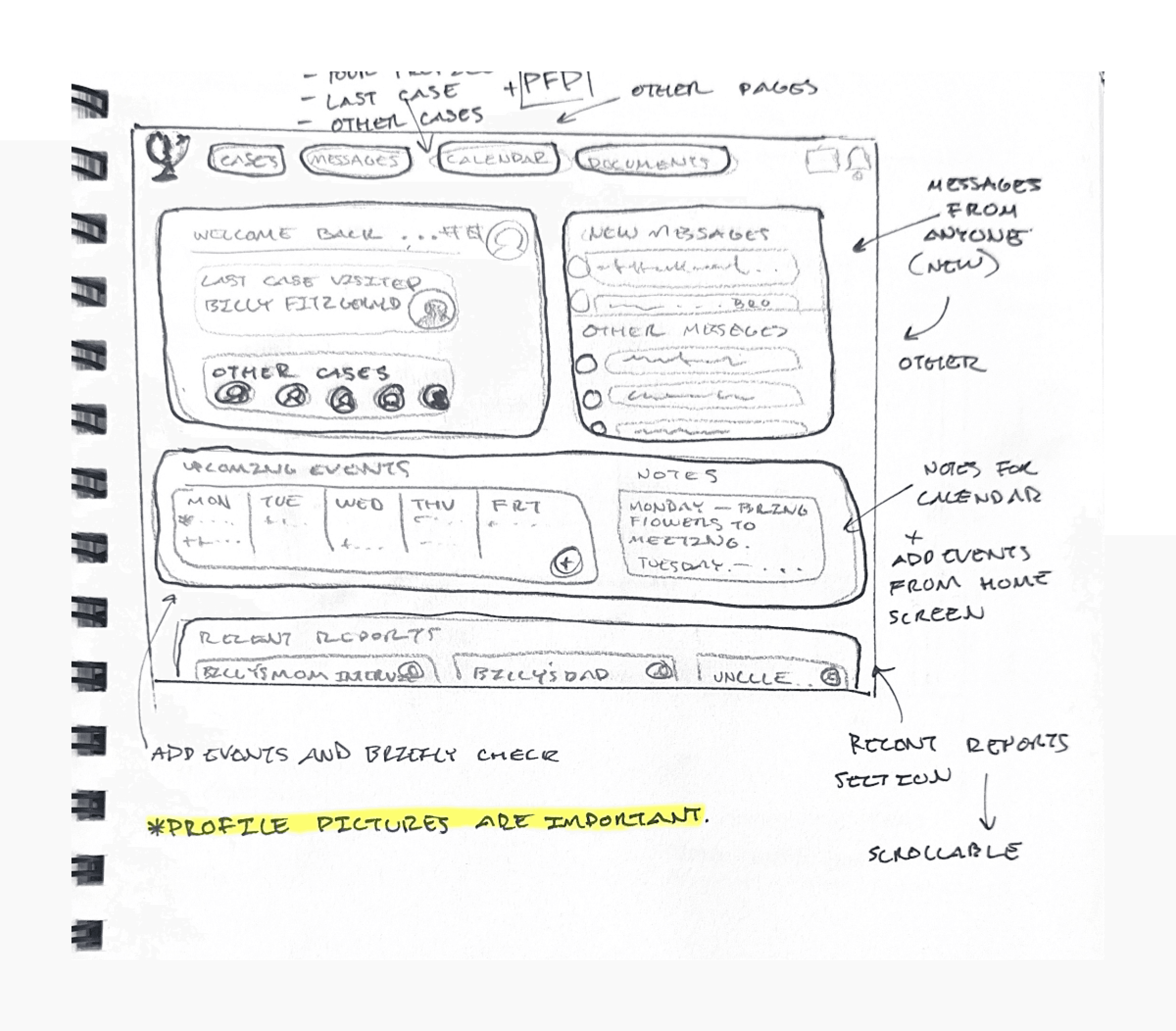
Refining the dashboard layout
We shifted focus from a single screen to the full report-creation workflow. We simplified how reports are started, written, and submitted, and designed supportive system feedback, including the full loading and autofill experience.
This process ensured that design decisions were chosen because of real user needs, while remaining flexible enough to adapt as new insights emerged.
Outcomes
- Simplified the end-to-end report creation flow, making it easier to know where to start and what to do next
- Increased flexibility in the report-writing experience through adjustable layouts and reversible autofill
- Improved access to supporting materials by keeping case files, comments, and AI assistance within reach
- Reduced cognitive load, allowing volunteers to focus on writing thoughtful, high-quality reports
Designing for high-stakes work requires clarity, restraint, and trust. Giving users control is what matters, especially when automation is involved. This project reinforced the importance of designing systems that support people under pressure. The result is that advocates can now spend less time managing software, and more time advocating for children who need it most.